AddstarMC is a public server! #
You do not need to be whitelisted – anyone can join and start playing straight away!
When you join, you will be asked to agree to the rules before you can play.
You can learn more about AddstarMC here:
Join with Java Minecraft: #
Join using server address: play.addstarmc.com
- Open your Java Minecraft client
- Click Multiplayer
- Click Add Server
- In the Server Name field, enter: AddstarMC
- In the Server Address field, enter:
play.addstarmc.com - Click OK
- Click on the AddstarMC entry in the list and then click [Join server]

Joining with Bedrock Minecraft (console/mobile): #
Join using server address: play.addstarmc.com
⚠️ If you would like to play both Java and Bedrock on AddstarMC, you should link your accounts together, so your server profile is shared between Java/Bedrock.
- Open your Minecraft game (console/mobile).
- Tap the Play on the main screen.
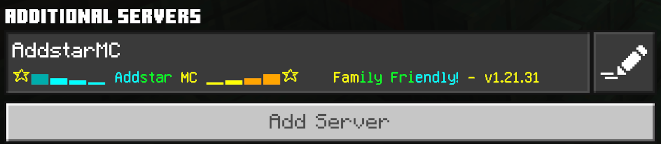
- Tap the Servers tab at the top of the screen.
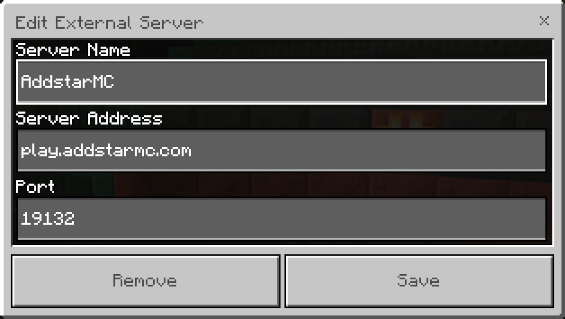
- Tap Add Server under Additional Servers.
- In the Server Name field, enter: AddstarMC
- In the Server Address field, enter: play.addstarmc.com
- Keep the default port: 19132
- Tap Save button
If you have any issues joining the server, please submit a Support Ticket and we will assist you.